5 Step Field Allocation for Youth Leagues: Research Backed Rules
5 Step Field Allocation for Youth Leagues: Research Backed Rules
The fastest way to produce stable field assignments is a constraint-aware, prioritized allocation workflow that flags conflicts before you publish, not after. Start by pulling your roster, field inventory, blackout dates, and coach availability into one standard spreadsheet or tool. Some sports scheduling platforms build these steps into a single system, but the method matters more than the software.
TL;DR:
- Complete data collection of field capacity, maintenance, and team constraints before scheduling prevents midseason rebuilds.
- Using a conflict detection loop and prioritizing high-importance events ensures schedule stability and minimizes manual adjustments.
- Applying simple heuristics, such as week-scheme patterns and sibling clustering, can produce reliable schedules without advanced solvers.
- Incorporating coach and team dependencies at intake reduces late conflicts and the need for extensive rework.
- Dedicated scheduling tools automate conflict alerts and preserve season-to-season data, saving volunteer time and improving accuracy.
Table of Contents
- Key constraints and data to gather before allocating fields
- Step-by-step field allocation workflow schedulers can run each season
- Quick rules and templates that beat manual guesswork
- Conflict handling, edge cases, and how to minimize rework
- Tools, data formats, and what scheduling software must do
- Lessons from organizing youth schedules
- How SportChatPro helps with season-long field allocation
- Sources
- FAQ
Key constraints and data to gather before allocating fields
Before you touch a schedule, you need a complete picture of what you’re working with. Missing even one constraint, like a shared field’s maintenance window, can force a full rebuild two weeks into the season.
Start with your field inventory: how many fields you control, their capacity for simultaneous games or practices, lighting for evening slots, and any recurring maintenance blocks. Then translate your league structure into demand. Divisions, round-robin counts, and home/away patterns determine how many slots you actually need per week. Team-level constraints come next: which coaches run multiple teams, which players have siblings in other divisions, and whether a team needs a practice slot as badly as a game slot.
- Field inventory: capacity, lights, number of surfaces available at once, and maintenance windows.
- Slot demand: divisions, rounds, and home/away balance across the season.
- Team constraints: coach overlaps, multi-team players, siblings, and practice versus game priority.
- Time-slot rules: prime-time allocation, travel distance limits, and weekday versus weekend differences.
- Priority order: which events (playoffs, makeup games, tournaments) override routine scheduling.
Sports scheduling is fundamentally a constrained combinatorial optimization problem, and treating it that way from the start, rather than patching conflicts as they surface, is what separates a stable season from a chaotic one, according to an annotated bibliography on sports scheduling.
Step-by-step field allocation workflow schedulers can run each season
Once your data is collected, the allocation itself follows a repeatable sequence. Skipping steps here is the most common reason leagues end up rebuilding schedules midseason.
- Data intake: Build a CSV with columns for team_id, coach_id, preferred slots, blackout dates, and a home-venue flag. This becomes your single source of truth.
- Feasibility pass: Convert division and team counts into slot demand using round-robin math, then check that demand against actual field capacity. If you have more slot demand than capacity, you’ll see it here, not three weeks into the season.
- Candidate allocation: Fill slots by priority first (older divisions, playoff games), then apply a week-scheme for home/away balance. Greedy priority fills combined with a short local-search pass to fix the worst violations produce usable schedules quickly, even without specialized software, according to research on multi-league sports scheduling.
- Conflict detection loop: Run an automated check against your constraint list, build a conflict matrix showing where teams, coaches, or fields double-book, and route anything unresolved to a human for a final call.
- Publish and adjust: Set a defined change window, send automated notifications when assignments go live, and favor minimal-disruption swaps over wholesale reallocation when something has to move.
Pro Tip: Run your feasibility pass before you touch team preferences. A capacity problem you catch on day one takes ten minutes to fix. The same problem caught on day thirty takes a week of emails.
Treat the temporal question (which week or slot) and the spatial question (which field) as two linked problems, solving in order of whichever constraint is tightest first. That sequencing alone resolves a large share of the conflicts that would otherwise surface during conflict detection.

Quick rules and templates that beat manual guesswork
You don’t need a solver to run a decent allocation. A handful of heuristics, borrowed from academic scheduling research but simplified for volunteer use, cover most situations.
Week-scheme assignment is the backbone of home/away balance when multiple teams share venues. A parallel scheme keeps the same pairing structure across weeks and works well for small, stable divisions. An opposite scheme flips home/away assignments week to week and suits leagues trying to balance travel evenly. A W0 scheme designates a fixed “week zero” for makeup games or byes, which is useful when weather cancellations are common. Week-scheme methods were developed specifically to let clubs sharing venues coordinate without constant renegotiation.
- Reserve prime slots (evenings, lit fields) for older or higher-competition divisions first.
- Rotate early and late start times across the season so no team always plays the worst slot.
- Cluster siblings on the same day but different times to cut family travel.
- Accept “similar key” substitutions, a slightly different but equivalent home/away pattern, when a perfect match isn’t available.
For a 6-team round-robin, a simple rotating table (team 1 versus 6, 2 versus 5, 3 versus 4, then rotate) fills five weeks without any solver. For four practice fields and eight teams, a two-team-per-field rotation with a 30-minute offset covers a full week without double-booking.
Conflict handling, edge cases, and how to minimize rework
Most conflicts trace back to a small number of recurring causes: shared venues between leagues, coaches running multiple teams, and capacity bottlenecks during peak weeks. Knowing which one you’re facing determines how you fix it.
- Shared-venue conflicts: resolved with week-scheme coordination between the leagues involved.
- Coach overlaps: flagged automatically if coach_id is captured during intake, then resolved by shifting one team’s slot rather than both.
- Capacity bottlenecks: addressed by spreading games across more weekdays instead of concentrating everything on weekends.
Encoding coach and sibling dependencies during intake, rather than discovering them after publishing, is the single biggest factor in avoiding late rescheduling, according to research on multi-league scheduling with team interdependencies.
Pro Tip: Publish a tentative schedule with a clear deadline for change requests. Most leagues that skip this step get flooded with “can we switch” emails for the entire season instead of one tight window.
Keep a conflict log noting what changed, why, and who approved it. That record cuts down on repeat disputes and gives you a reference the next time a similar request comes in.
Tools, data formats, and what scheduling software must do
A spreadsheet can handle a small, single-division league. Once you’re juggling multiple divisions, shared venues, and coach overlaps, the constraint checking becomes too much to track by hand, and that’s where dedicated software earns its place.
- Roster and field import: pull team and venue data in without manual re-entry.
- Blackout calendar: centralize holidays, facility closures, and maintenance windows.
- Constraint engine: apply coach, sibling, and capacity rules automatically during generation.
- Conflict alerts: flag double-bookings before publishing, not after.
- Bulk publish and notifications: push finalized schedules to all teams at once.
A minimal CSV schema should include team_id, coach_id, division, preferred_slot, blackout_dates, and home_venue_flag. Keeping these fields consistent across seasons makes reuse far easier.
An integrated platform that checks interdependencies and automates conflict alerts cuts the administrative time league staff spend on manual cross-checking. SportChatPro builds these features, intelligent scheduling, field inventory, and conflict detection, into one connected system rather than requiring separate spreadsheets and calendars.
Lessons from organizing youth schedules
The biggest time savings come early: a clean data intake and a feasibility pass before any slot gets assigned. That single habit prevents most of the fire drills that hit schedulers in week three.
Software should surface conflicts, not resolve them silently. A scheduler needs to see the tradeoff and make the final call, because fairness between teams is a judgment call no algorithm fully owns.
— Cameron
How SportChatPro helps with season-long field allocation
Running this workflow by hand works, but it takes hours every week that most volunteer schedulers don’t have. Some scheduling platforms have been developed with real youth league operations experience, offering scheduling that accounts for coach overlaps, facility availability, and conflicts before publishing, plus continuity tools that carry your field setup and team data into the next season instead of starting over.
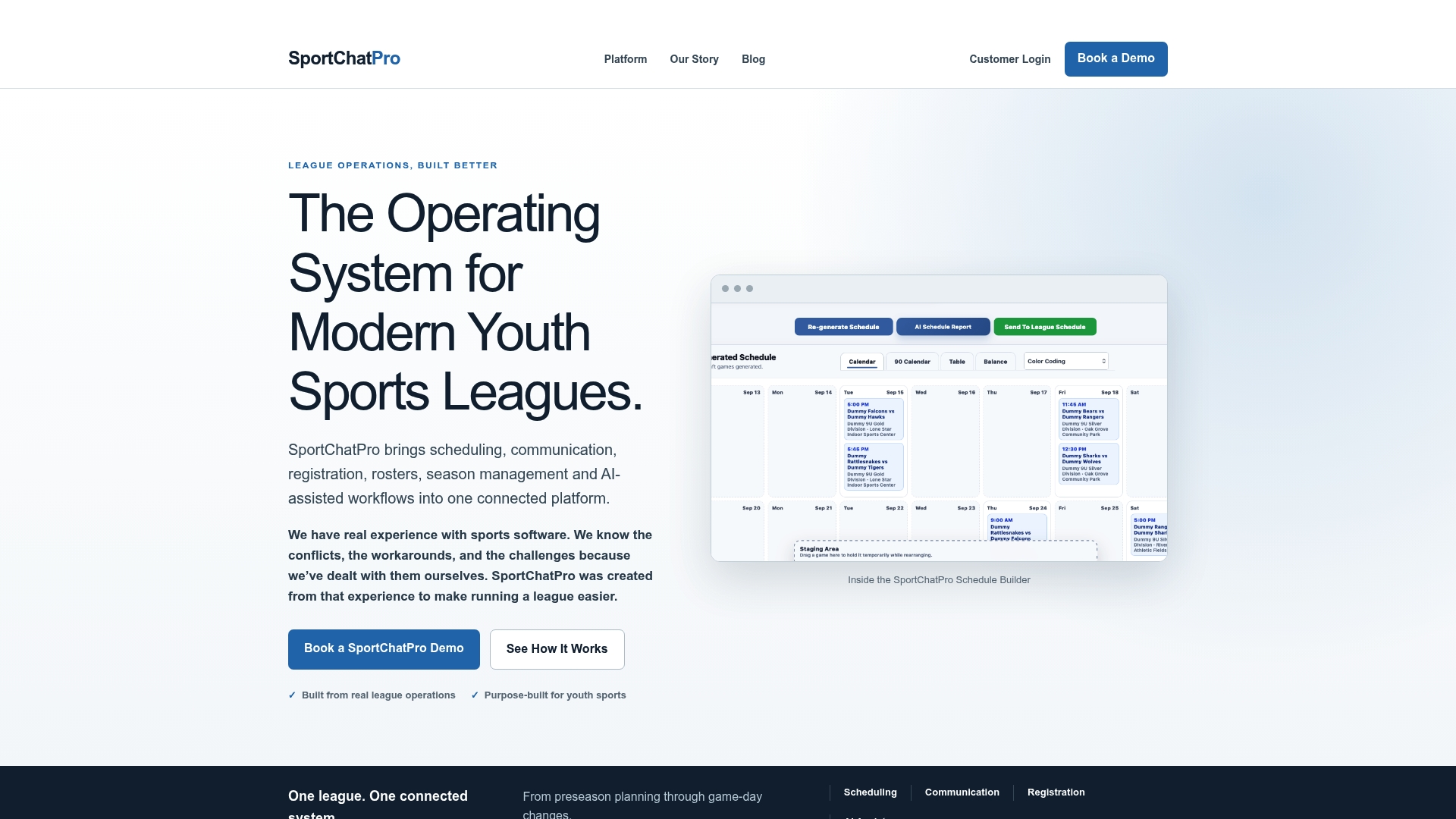
- Intelligent scheduling that factors in team needs, field capacity, and known conflicts automatically.
- Conflict checking that flags coach overlaps and double-bookings before they reach coaches or parents.
- Season-to-season continuity so your field inventory and constraints carry forward instead of being rebuilt from scratch.
Start by importing your roster and field list, running a trial allocation, and reviewing the conflict report it generates. Visit the SportChatPro platform to request a demo and see how it handles your league’s specific setup.
Sources
- Scheduling in sports: An annotated bibliography
- Multi-League Sports Scheduling with Team Interdependencies
- Multi-league sports scheduling with different league sizes
Schedulers planning to use solver-based approaches should read these papers directly before building a custom system.
FAQ
What data do I need before allocating fields for a season?
You need a field inventory (capacity, lights, maintenance windows), your league’s division and round structure, and team-level constraints like coach overlaps, siblings, and blackout dates. Gathering this into one CSV or tool before you start prevents most midseason conflicts.
How do I handle a coach who runs two teams in different divisions?
Capture coach_id during data intake so the system or spreadsheet flags any overlapping slots automatically. Resolve it by shifting one team’s game or practice time rather than treating it as two separate scheduling problems.
What is a week-scheme and do I need one?
A week-scheme is a pattern (parallel, opposite, or W0) for assigning home and away games when teams share venues across a season. You need one if multiple teams or leagues use the same fields, since it prevents repeated venue conflicts without manual renegotiation each week.
Can a spreadsheet handle field allocation for a small league?
A spreadsheet works fine for a single division with one or two shared fields and few coach overlaps. Once you add multiple divisions, shared venues, or frequent last-minute changes, a dedicated scheduling platform like SportChatPro reduces the manual conflict-checking a spreadsheet can’t automate.
How do I measure whether my field allocation worked well?
Track the number of post-publish changes, how evenly prime-time slots were distributed across teams, and how many conflicts were caught before publishing versus after. A low rate of late changes and balanced slot distribution are the clearest signs the allocation held up.